
When you first log into your Educator Tools, you'll be taken to your Dashboard that gives some high-level information that we think you'll find useful:
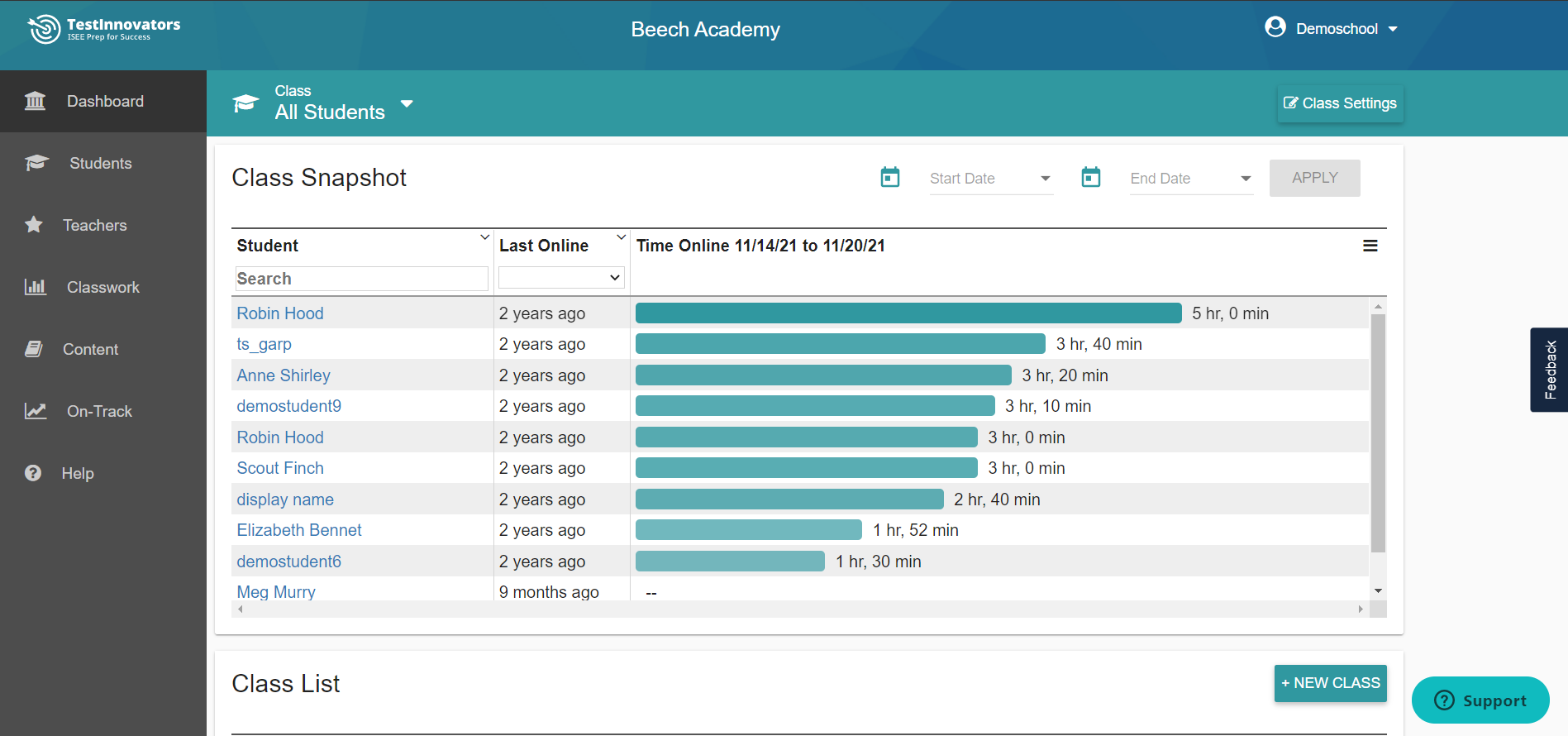
Here you'll find a Class Snapshot right at the top, providing you with an overview of your students' activity.
You can click on any of the students' names to go straight to their personal snapshot, where you can see the student's information, recent activity, the results of any full-length tests they've completed, and their prep plan and homework information.
At the bottom of the page, you'll see your Class List with easy links to Classwork, Student Lists, and a Class Settings option to change the class name, add/remove students and teachers in the class, and hide the analysis page or school data for students in that class.
From any page in the Educator Tools, you can use the Class drop-down at the top of your screen to see results for only those students in that class. Create new classes to organize your tutoring students into groups, or give one of your tutors access to a group of students by linking their account to a class.

| Helpful Note: If you are ever looking for a student and can't find them, double check the class filter to make sure you're looking at the right list. |
Class Settings can also be modified by clicking the button on the teal bar. For a more in-depth explanation of these settings, check out these links: Locking Tests, Hide Student Scores and School Data, Creating and Configuring Classrooms.
Tabs Overview
Here are the tabs that appear in the left-hand sidebar menu.
Students will take you to your Student List where you can click into individual student profiles. Learn more
Classwork will take you to aggregated reports of your students' work, and will allow you to assign additional work to your classes. Learn more
Content will take you to the Test Innovators content page where you can view and download tests, view practice exercises, and view the Video Course. Learn more
Billing will take you to purchase plans and will allow you to view the pending charges and invoice history.
Note: only account managers will see the Billing tab in their account. Learn more
Help will bring you into this help center. If you ever have questions that aren't answered here, don't hesitate to reach out by emailing us at support@testinnovators.com or calling us at 1-800-280-1857.